ColtOS For Xiaomi 11 Lite NE (Lisa)
Do you want to try Android 13 as soon as possible? then here is a Custom Rom for Xiaomi 11 Lite NE based on Android 13. ColtOS is a Custom Rom mainly focused on the quality, stability and useful features.
Today, I will share ColtOS v13.2 for Xiaomi 11 Lite NE. If you already installed the TWRP Recovery in your 11 Lite NE phone then you can install this rom very easily. Just follow the below instructions.
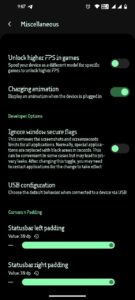
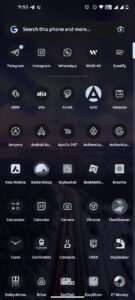
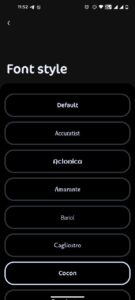
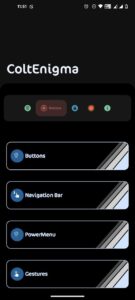
ColtOS v13.2 Features
- Button Customizations
- Lockscreen Customizations
- Nav Bar Customizations
- Quick Settings Customizations
- Recents Customizations
- StatusBar Customizations
- System Wide Options
- Font Manager
- Color Themes and more…
Screenshots:

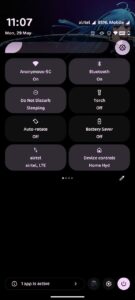
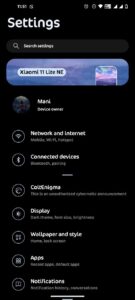
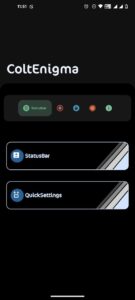
Changelogs for ColtOS v13.2 Xiaomi 11 Lite NE :
- Added QS Header Image
- Added Volume panel design
- Redesign Launcher 3
- Added mono themed icon support
- Switch to single-tone QS style
- Added Extend pixel experience features
- Bring back UDFPS icons and animations
- Add brightness slider styles
- Added two tone volume styles
- Added Configurable text size for Large LS clock
- Add switch to unlink ringtone and notifications volume
- Improve edge vibration haptics effect
- Added Redesign and animate Battery and storage progress bars
- Added new reticker design
- Added Pitch Black mode
- Implement glass blur effect
- Charging animation improvements
- Improved the ripple animation
- Many more under the hood changes and improvements
Prerequirement:
Get the platform tools file. Then extract it on your PC. You will get a folder named Platform Tools, open this folder and proceed to the next steps below.
How To Install ColtOS Custom Rom on Xiaomi 11 Lite NE
Before flashing any custom rom you will need to unlock the bootloader of your Xiaomi 11 Lite NE phone. If you already unlocked and installed the TWRP Recovery then you can simply flash this rom using TWRP Recovery.
But if you didn’t installed TWRP then follow the below steps to flash this rom properly.
- Get the ColtOS for Xiaomi 11 Lite NE (Lisa) from this link. (Important: rename the file into ColtOS.zip)
- Get the zip file from this link. Then extract the zip file on your PC and you will find two files named: boot.img and vendor_boot.img
- Move the ColtOS Rom, boot.img and vendor_boot.img files to the platform tools folder.
- Now go to the platform tools folder and press Shift + Mouse Right Click at once. You will see option Open Powershell Window here. click on this option.
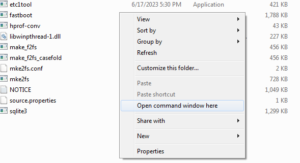
- Then it will open a command box here.
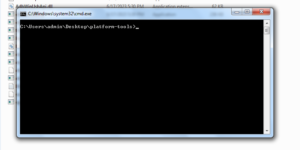
- Then boot your phone into fastboot mode by pressing and holding the Volume down and power button , at once. And connect the phone with your PC using an USB cable. (then give the below commands into the command box one by one)
- fastboot set_active a
- fastboot flash boot_a boot.img
- fastboot flash boot_b boot.img
- fastboot flash vendor_boot_a vendor_boot.img
- fastboot flash vendor_boot_b vendor_boot.img
- Then reboot into recovery mode by pressing and holding the Volume up and power button, at once.
- Then go to Apply Update > Update Using ADB
- adb sideload ColtOS.zip (give this command in the Command box)
- Factory Reset (Skip If Dirty Flashing)
- Reboot To System
Done. Congratulations you have successfully installed ColtOS custom rom based on Android 13 on your Xiaomi 11 Lite NE.
The first reboot can take around 5-20 minutes. So, don’t worry just wait and enjoy your new AOSP based Android 13 Rom.
That’s all guys. Thank you for visiting my website. If you have problem understanding anything in this post, please let me know in the comments below.
Credits:
- Thanks to @M3zaque for device sources.
- Thanks to @ghostrider_reborn for the kernel.
- Thanks to Mani for making this rom.