Wave UI V2 For Poco X4 Pro 5G
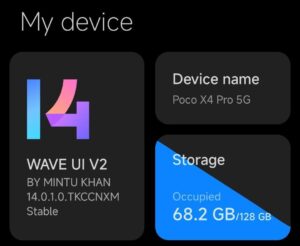
If you like MIUI based Roms then you should try this one. Wave UI V2 is based on MIUI 14.0.1.0 Chinese Rom. And the Android version is 13. So, let’s see how to install this rom in Poco X4 Pro 5G.
Wave UI V2 Features
- New Advance Ui
- Leica camera
- G Photos Spoofing
- New Advance launcher
- New Control Centre
- Advance Gallery App
- Advance Media Editor
- Advance Document Editor
- Advance Theme Manager
- Advance Futures in Game Turbo
- New Charging Animation
- Storage Tab First File Manager
- Device Frame added on screenshot
- High FPS Screen recoding
- Google Package Installer add
- Rom Controler App Add
- BGMI HDR Extreme support
- Device certified by default
- Proximity sensor working
- Moded MMS Apk
- RW Support
- NFC Support
- 144 FPS unlock in screen recorder
- Advanced Boot menu
- Always on display
This Rom is based on the Chinese MIUI 14 Rom, so it will include all the features available in the Chinese Rom, such as: Home screen search bar, App Vault, MIUI Launcher, Game Turbo, Voice Changer, Mi Ai, Ai Call Assistant, Mi Secure Keyboard, MIUI Dialer and File Manager, New Control Panel and many more.
Screenshots
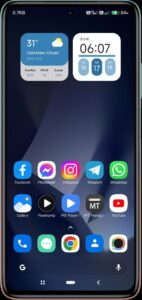
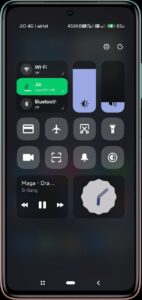
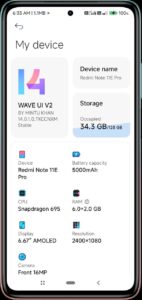
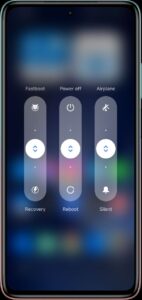
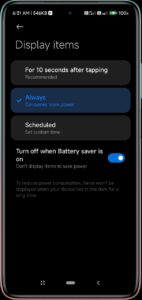
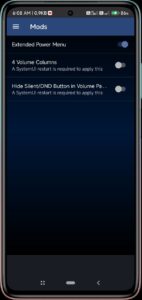
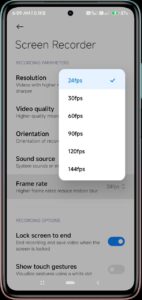
How To Install Wave UI V2 in Poco X4 Pro 5G
Follow below steps to install the Rom on your Poco X4 Pro 5G.
At first you need to install the TWRP Recovery in your Poco X4 Pro 5G. Follow the below tutorial to install TWRP in Poco X4 Pro 5G.
TWRP Recovery For Poco X4 Pro 5G (Veux/Peux)
- Get the Wave UI V2 from this link. (Important: rename the file into waveuv2.zip)
- Then boot into recovery mode by pressing and holding the Volume up and power button, at once.
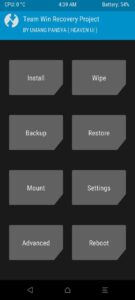
- Then click on Install and select the waveuv2.zip rom file.
- Now swipe right to start the flashing. It will take some time. Just wait for the success message.
- After getting the success message, go to Wipe and then Format Data.
- Now Reboot to system.
Now it will start to boot your phone into system. The first boot will take some time. Sometimes it can take upto 30 minutes. So, don’t worry just wait for the booting process to end.
Compatible Devices
This tutorial is about Redmi Note 11 Pro 5G. You can follow this method to install this Rom on your, Redmi Note 11 Pro 5G, Redmi Note 11 Pro+ 5G, Redmi Note 11E Pro, Poco X4 Pro.
Because all these devices contain the same code name “veux” and the board is also the same.
That’s all guys. Thanks for visiting my blog. If you have any problem understanding this tutorial please comment below.
Credits:
- devilnoobin, miuimodss, llionsmods,,umangpandya01 Thanks for the mods.
- @vivekaryanhere, @Mrtopia, @yogendra_kher, @WarriorKing11 thanks for testing the rom.